
The Reports Emails page is where you configure who receives each tracking category’s report when you trigger an automated send from the Profit and Loss page. Set the email addresses once here, and the report goes to the right HODs every time.
To open it, click Settings → Report Emails in the left navigation.
The Reports Emails page
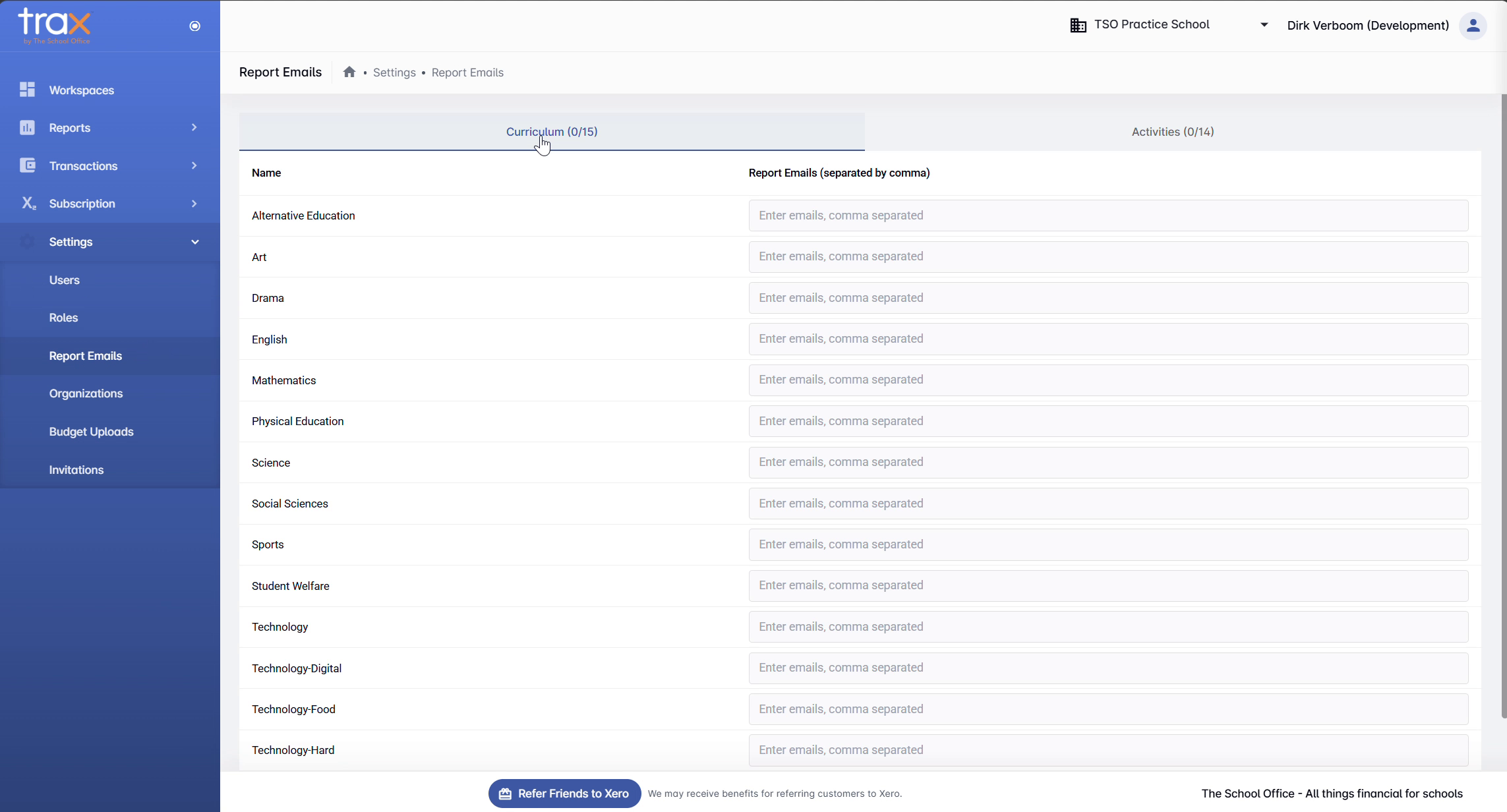
The page is split into tabs — one per tracking category from your connected Xero organisation. In a typical school setup you’ll see Curriculum and Activities tabs, each with its own list of options pulled from Xero.
For each tracking category option (e.g. Mathematics, Drama, Sports-Rugby), there’s an email field accepting a comma-separated list of addresses. Whoever’s listed there receives the report for that category when an automated send is triggered.
Adding email addresses
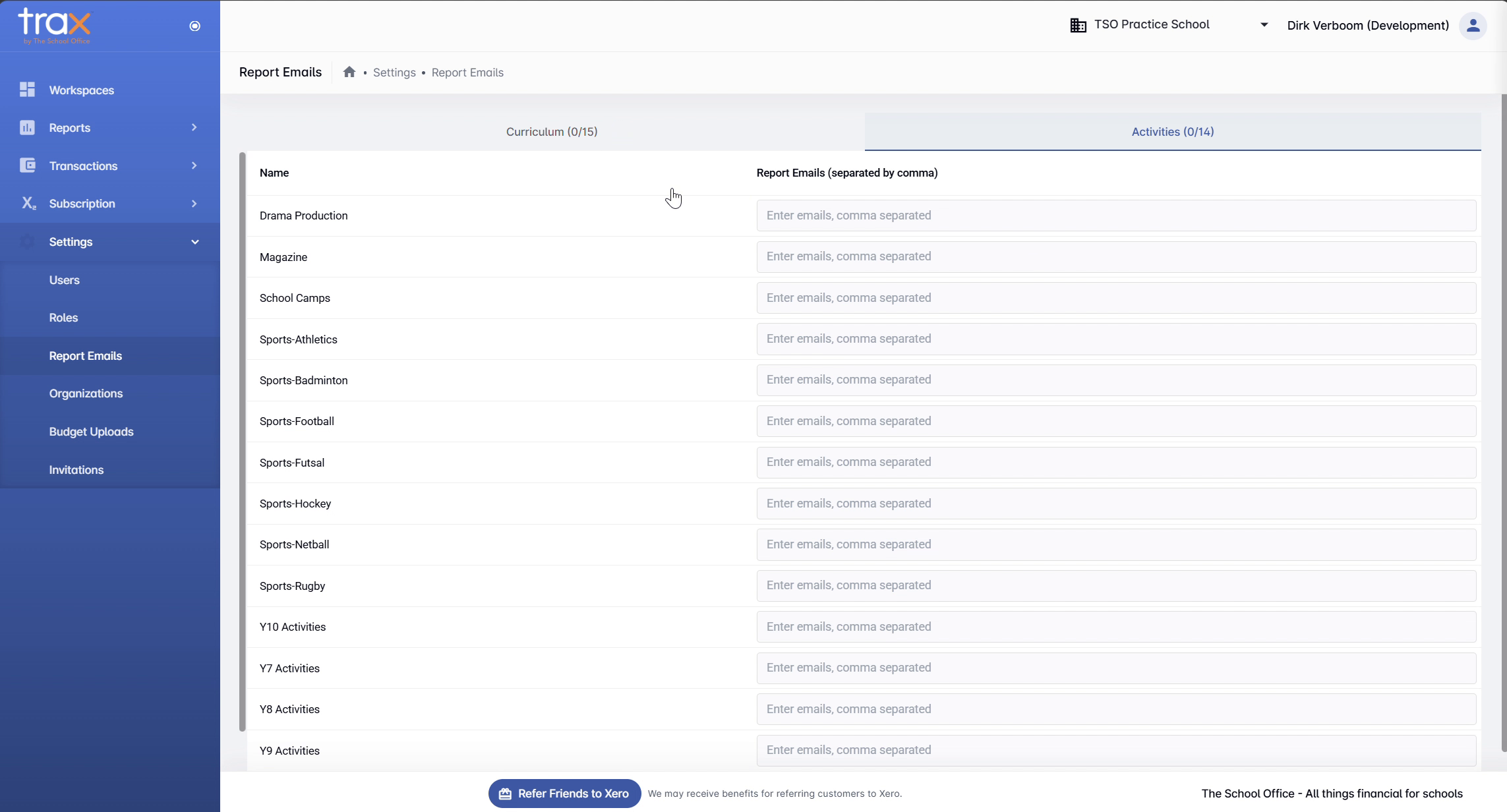
Click into the email field for any tracking category and type one or more email addresses, separated by commas. For example:
head.maths@yourschool.co.nz, finance@yourschool.co.nz
Switch tabs to configure recipients for the other tracking category groups.
Action buttons
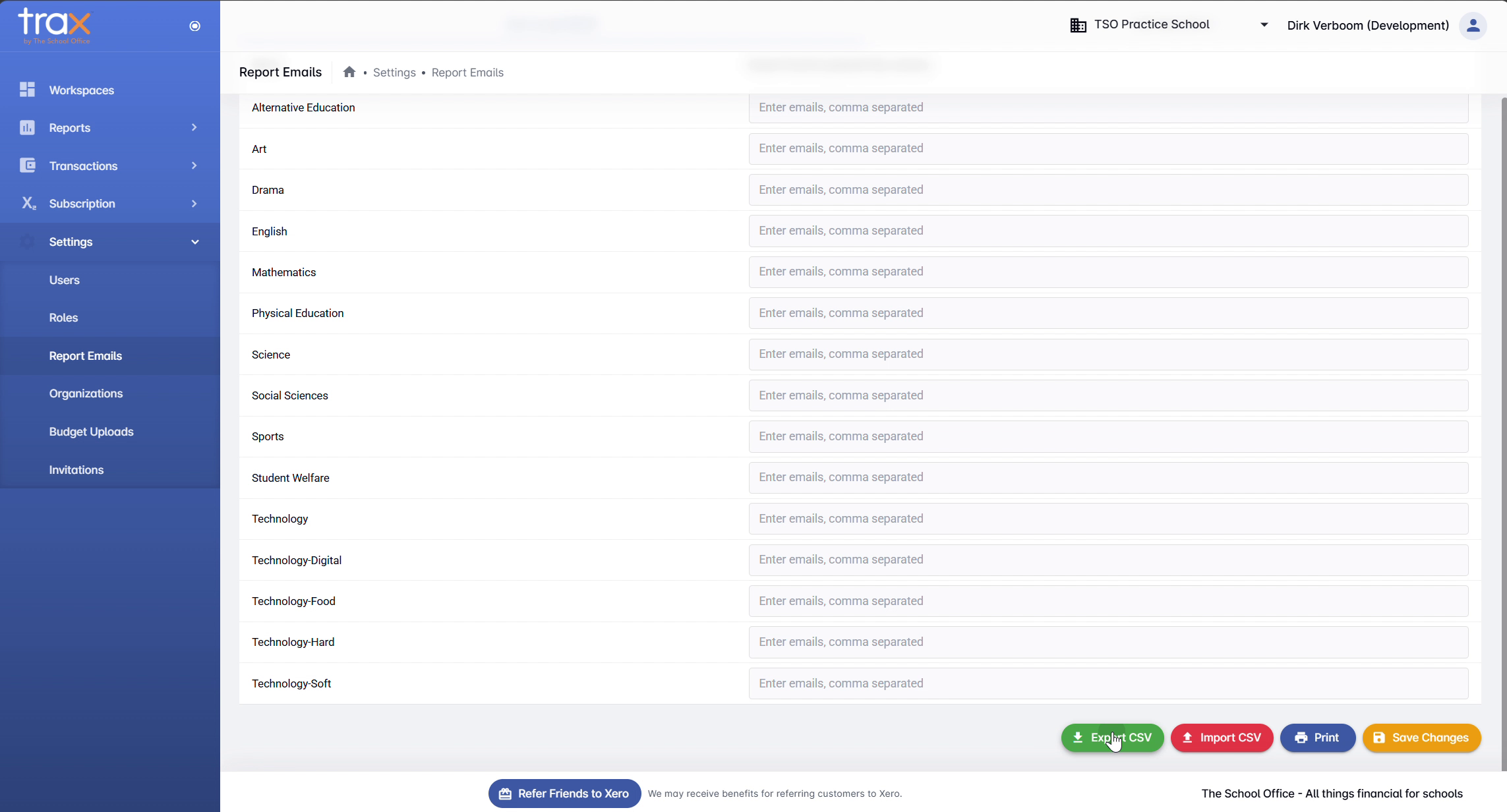
Four action buttons sit at the bottom right:
- Export CSV — download the current list of categories and email addresses as a CSV file. Useful for backups, audits, or bulk editing in Excel.
- Import CSV — upload a CSV in the same format to populate or update email addresses in bulk. Faster than typing each address manually for large schools.
- Print — print the current configuration.
- Save Changes — save your edits. Always click this before navigating away.
Tips
- Use Export → edit → Import for bulk changes. Faster than editing in-app for schools with many tracking categories.
- Multiple recipients per category. Comma-separate to send to a HOD, deputy, and finance team simultaneously.
- Empty fields skip the send. If a tracking category has no email addresses, no email will be sent for that category.
- Save before tab-switching. Edits in one tab aren’t auto-saved when you switch — click Save Changes first.
For anything else, get in touch with TSO support.